Documentation/Connecting/Premium
Premium in 2 minutes
One key unlocks every country on five devices. No server of your own needed.
- 01
Buy a key
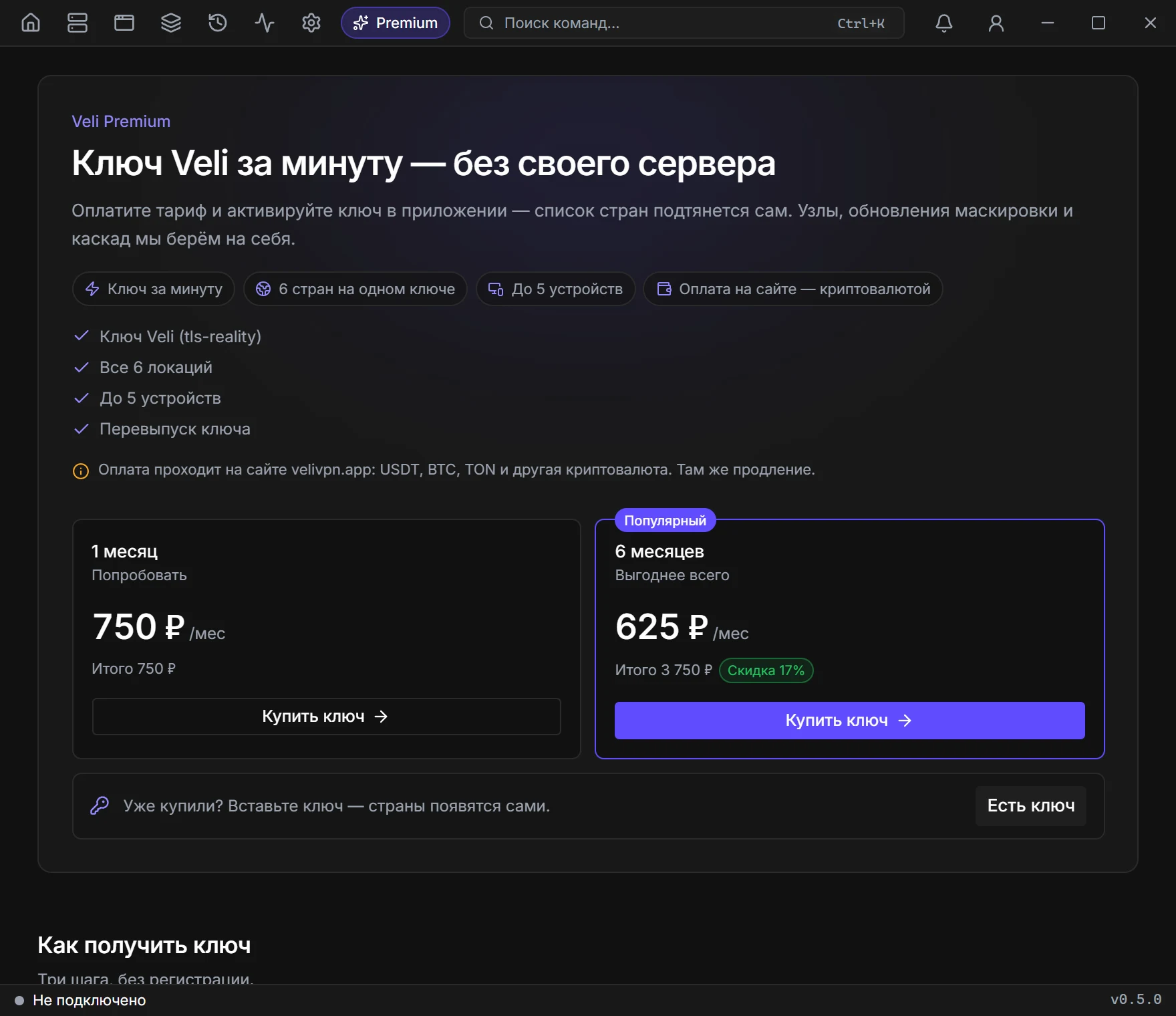
Click Premium at the top of the window and pick a plan — checkout opens on the site. Enter your email and pay in crypto. A key like VL-XXXX-XXXX-XXXX appears on the page — save it.
- 02
Activate the key
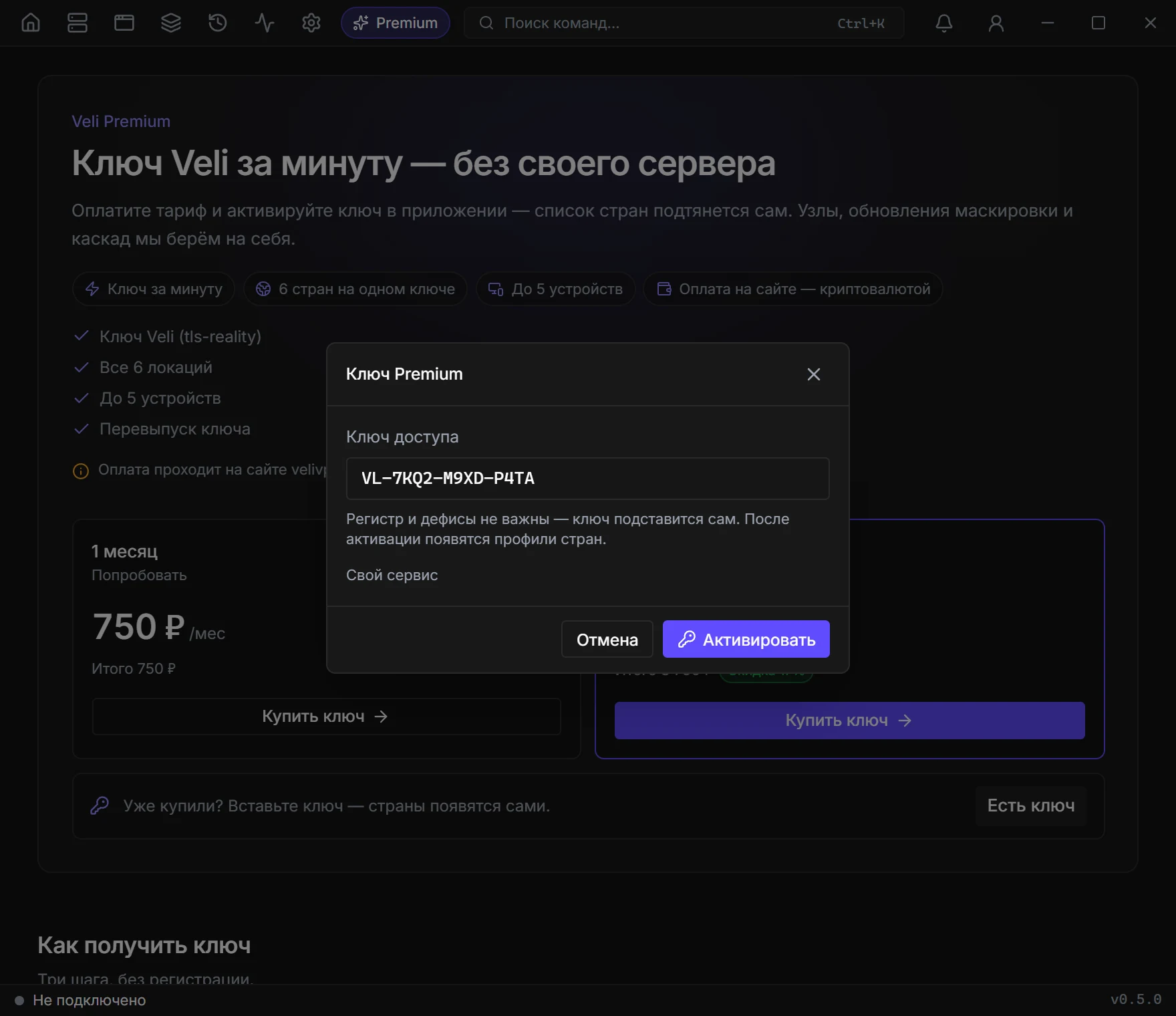
In the same place click “I have a key”, paste the key and click Activate. Case and dashes do not matter.
- 03
Connect
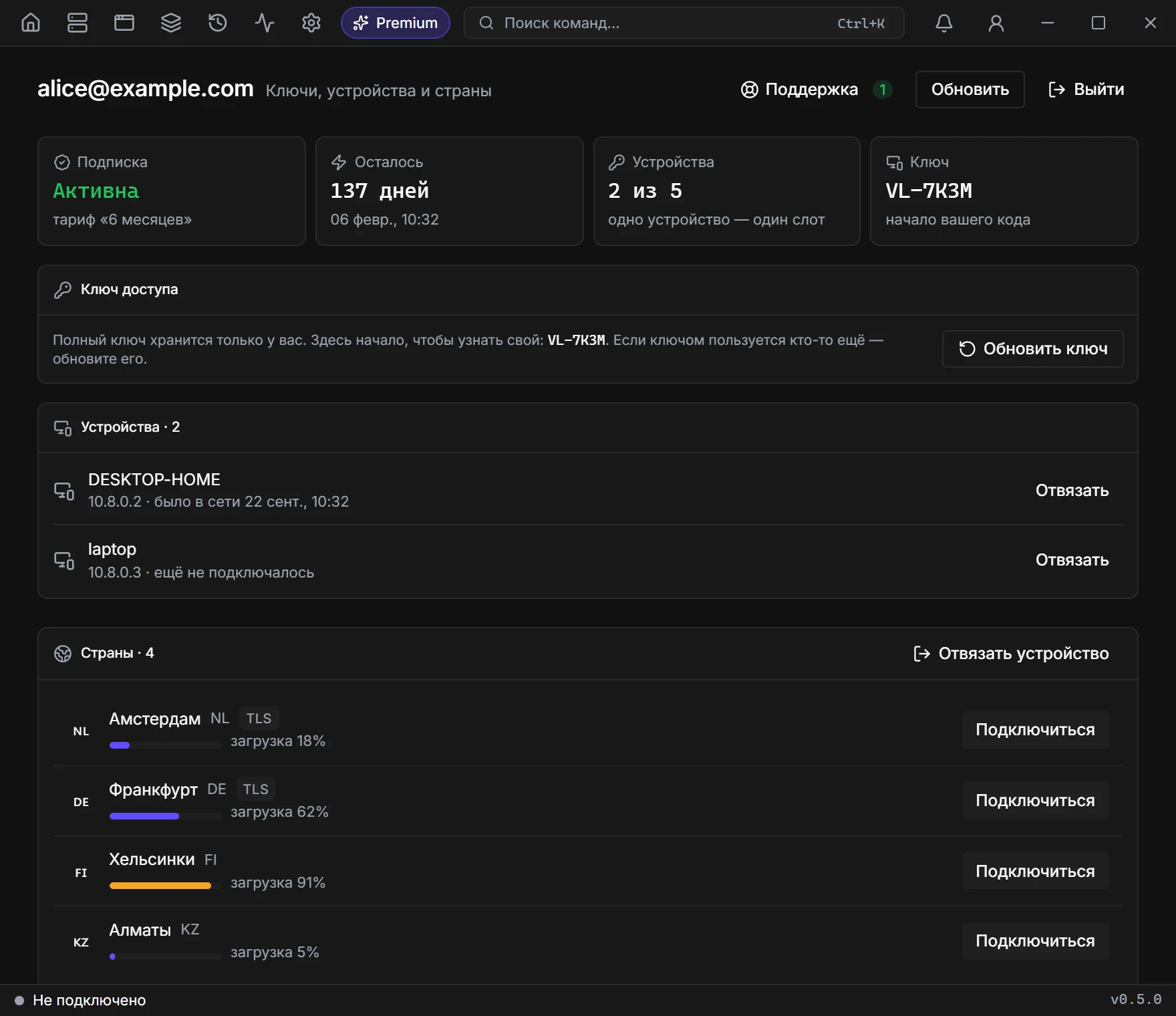
Countries appear in Profiles and in the Premium cabinet. Click Connect next to any of them — the key unlocks them all.
- 04
Cabinet
Sign in with a code sent to the email you used at checkout. There you will find the subscription term, devices, Renew and Reissue key.
If something goes wrong
The key will not activate
Check that you pasted all of it. If the subscription has expired, renew it on the site — the key stays the same.
Not enough devices
One key covers up to 5 devices. Remove an extra one in the cabinet with the Unlink button.
Someone else got my key
Click Reissue key in the cabinet: the old one stops working and all devices disconnect. Connect your own with the new key.