Documentation/Getting started/Quick start
Four steps to VPN
No sign-up and no email. You need the app and something to connect to: a Premium key, your own server, or a link.
- 01
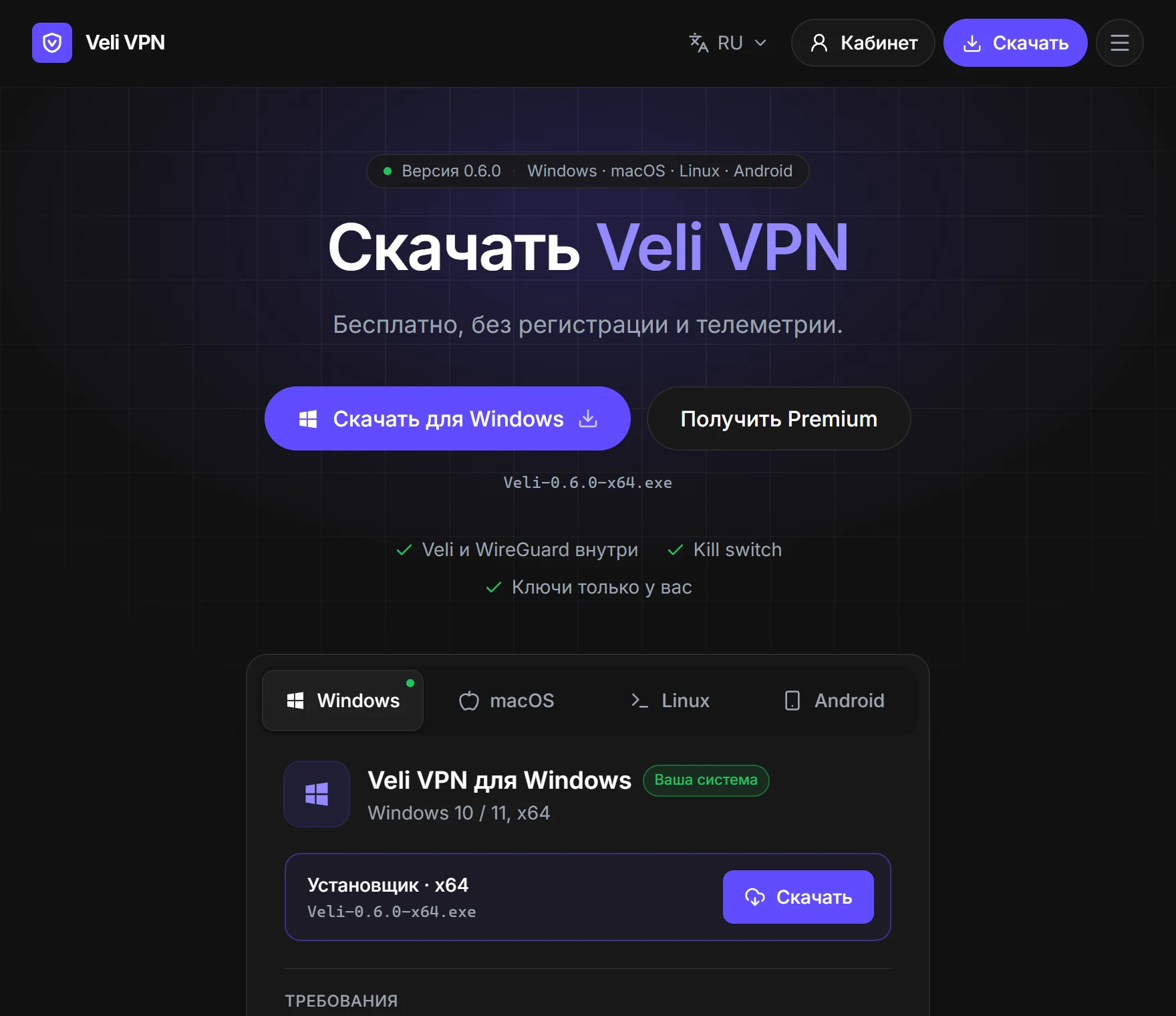
Download the app
On the Download page, pick your system: Windows, macOS, Linux, or Android. Install it like any other program.
- 02
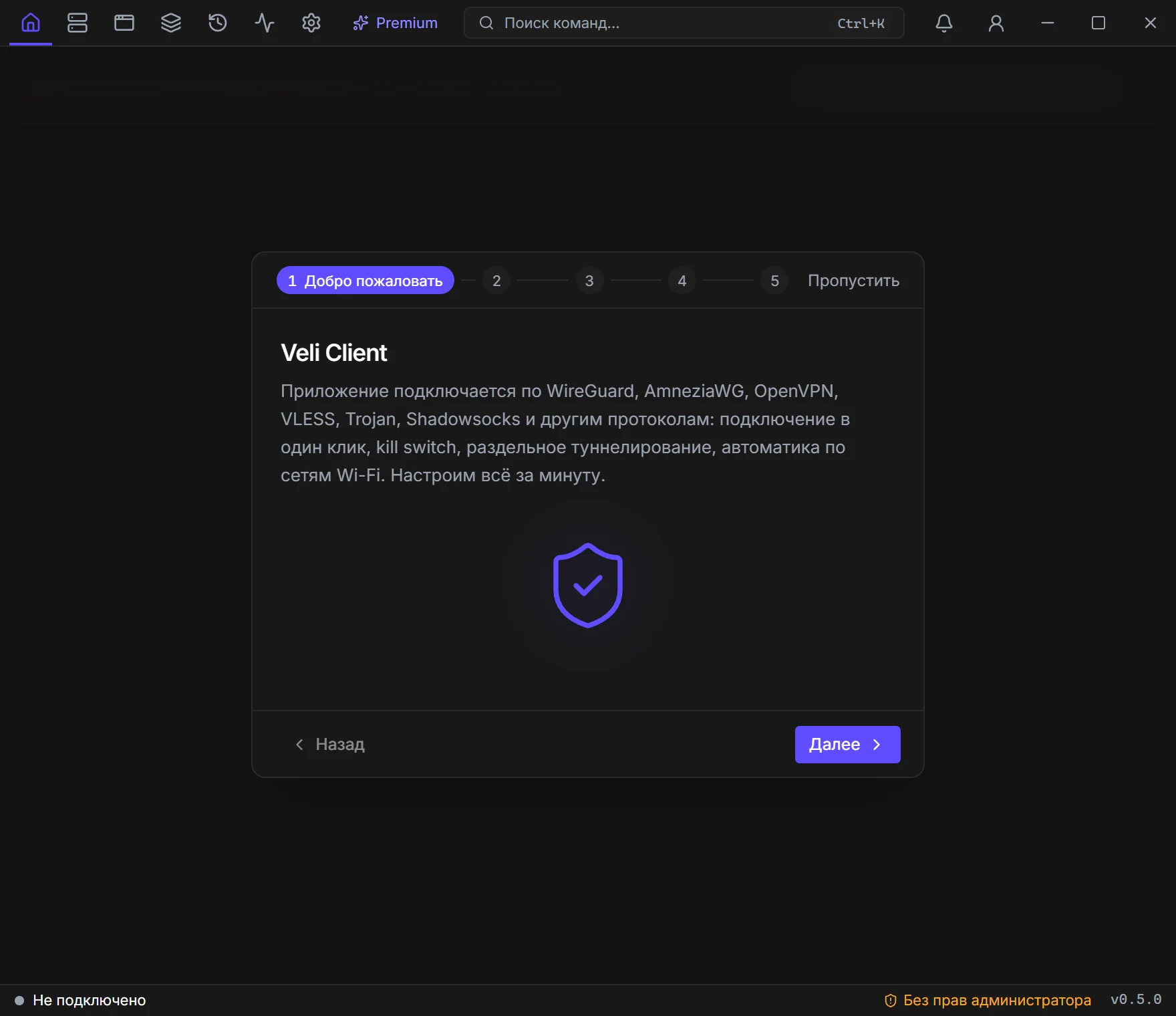
Launch it and grant rights
On first launch the app asks for administrator rights (on Android, VPN permission): without them the VPN will not turn on. Then the setup wizard configures everything in a minute.
- 03
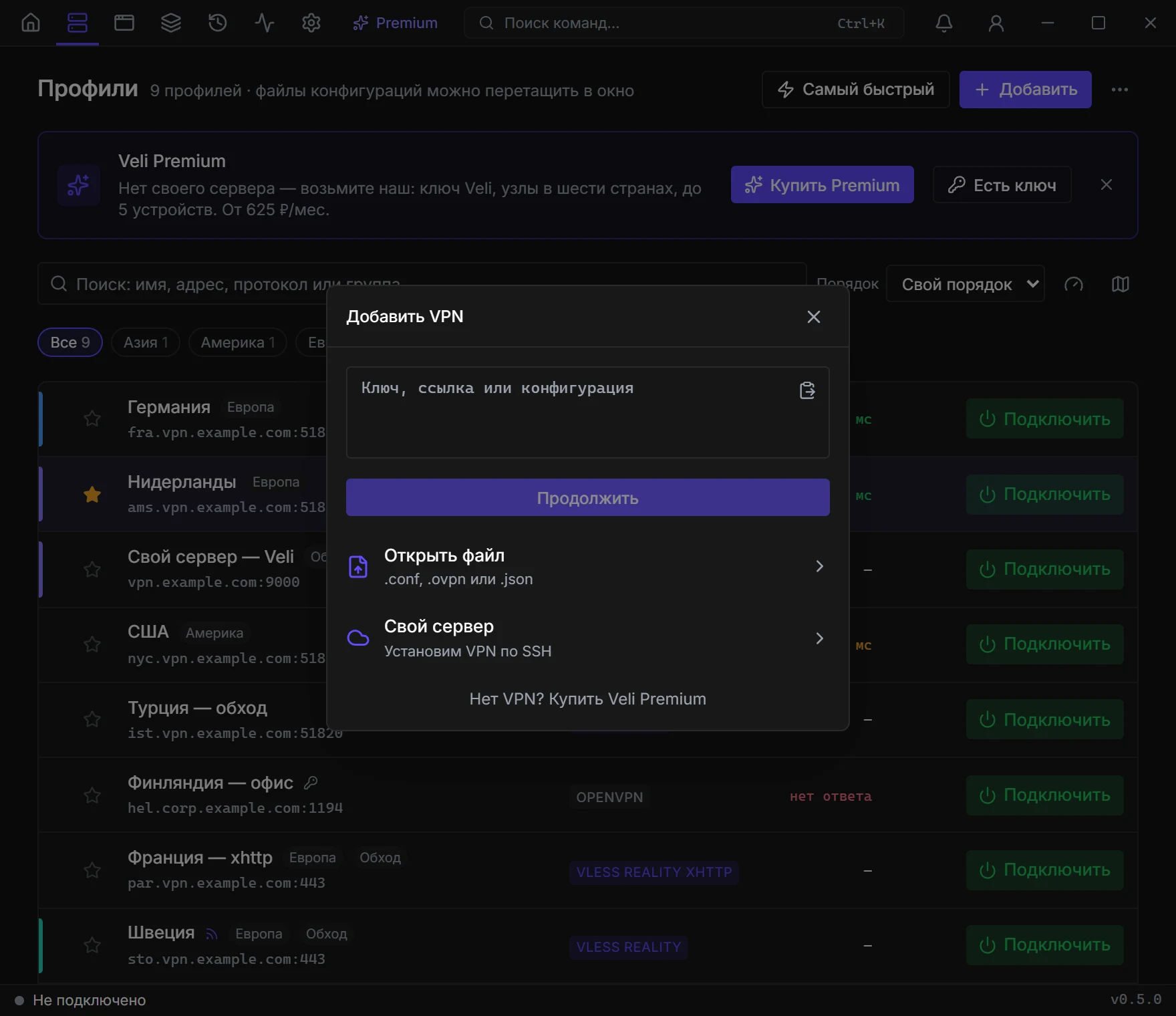
Add a server
Profiles → Add. Paste a key or a link, open a file, or deploy your own server. No server? Buy Veli Premium.
- 04
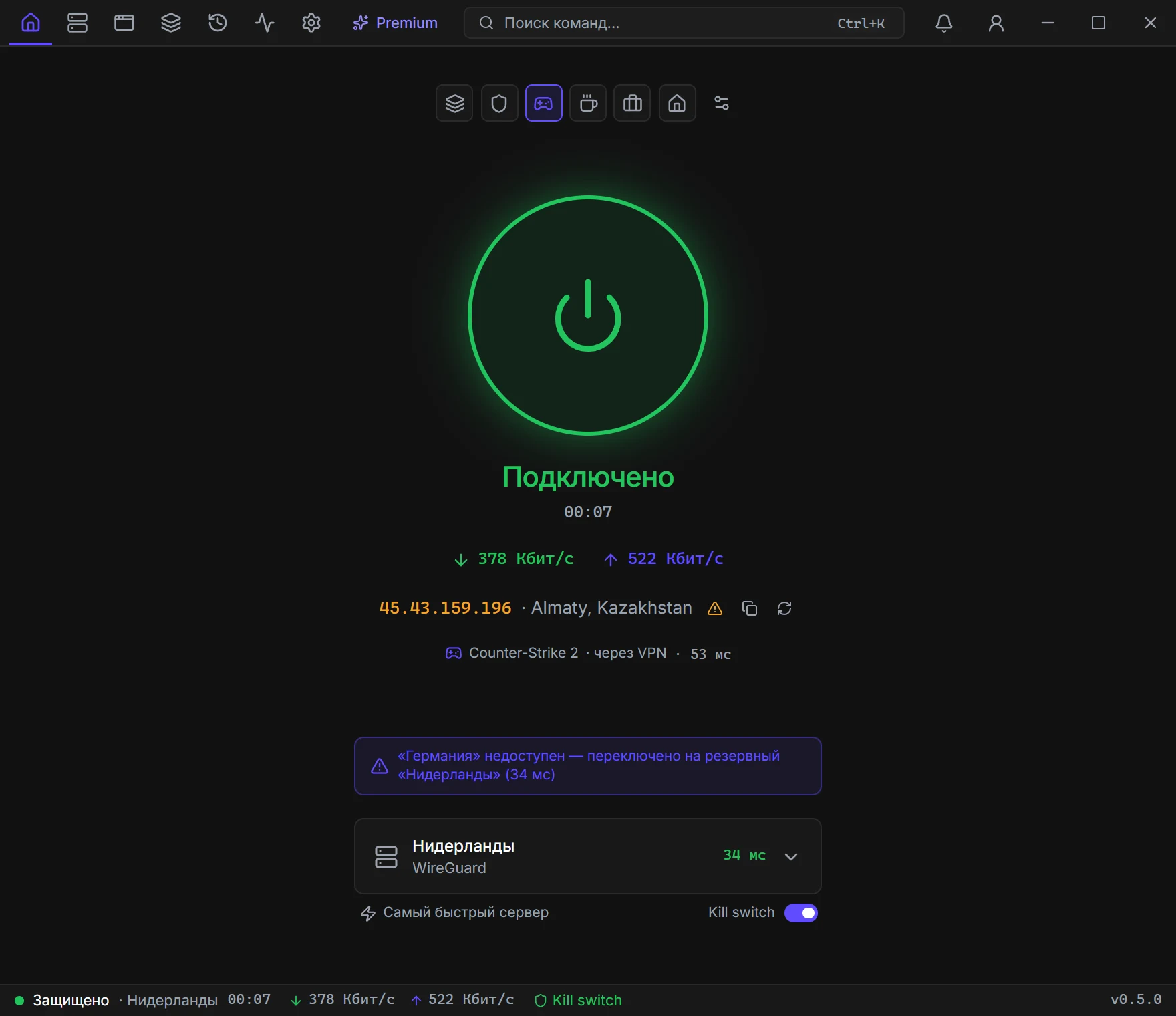
Press the big button
On Home, press the button in the center. Green and “Connected” — the VPN is working.
If something is wrong
Where do I get a server?
The easiest way is a Veli Premium key: the countries appear on their own. Or rent your own VPS — step by step in the Your server section.
The app asks for administrator rights
It needs them to turn on the VPN and leak protection. If you declined — Settings → VPN clients → Relaunch.
Connected, but sites do not open
Open Diagnostics and run the network check — it will show what is wrong. Or try another server.