Documentation/The app/The app
What lives where
Not a pile of plugins: one app, one set of profiles, one set of rules. Ctrl+K opens the palette — any action from the keyboard, even from another window if a global hotkey is set.
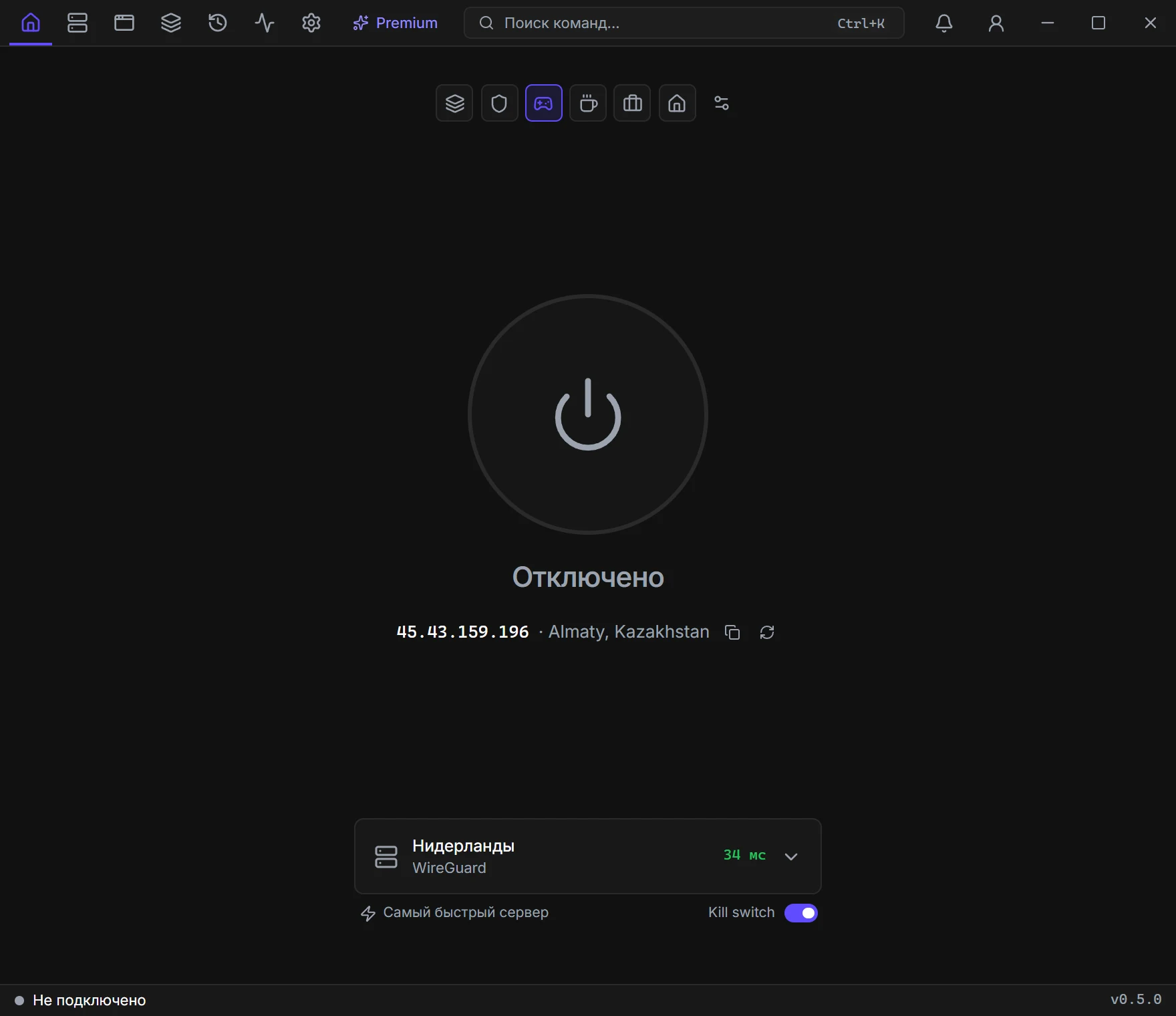
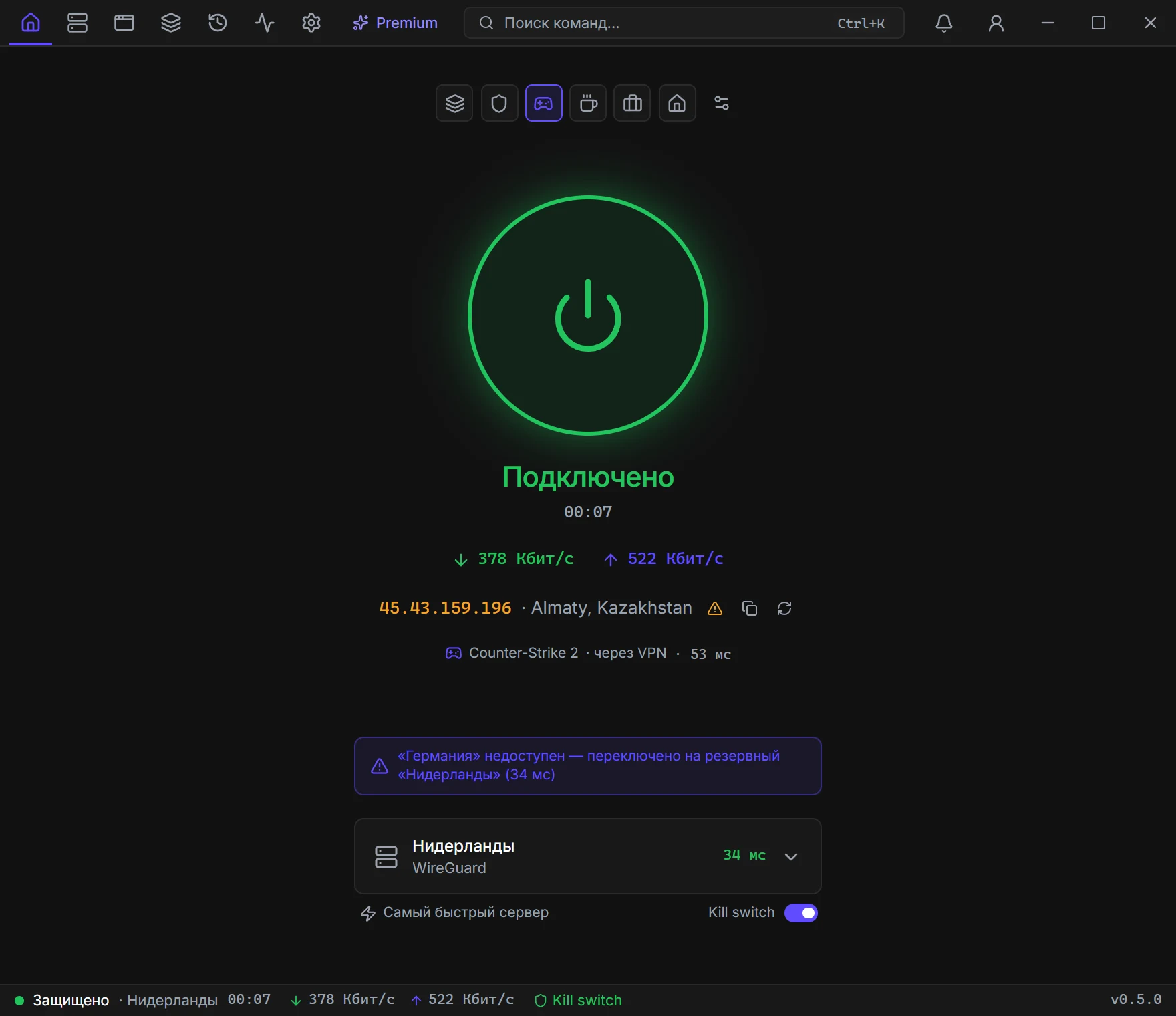
Home
The connect button, server picker and tags, ping, speed, kill switch, and the mode chips. If game mode is on, match-server latency shows here too.
Profiles
Every server in one list: favorites, ping, the map, your own nodes, import. Fastest pings the live ones and connects to the best. Search by name, address, protocol, or group.
Apps & sites
Split tunneling. Two modes: “everything through the VPN except…” or “VPN only for…”. Rules by domain, IP, and .exe — including from the list of running processes.
Game mode
Only the game goes through the tunnel — or only the game bypasses it. Launchers download directly. Match-server latency shows in the mini window over the game.
History
Sessions with traffic and CSV export. Useful to see which profile used how much in a week.
Diagnostics
Network checks, DNS and IPv6 leaks, a Cloudflare speed test, the event log, and a report with no keys or server addresses.
Settings
Modes, autostart, Wi-Fi, schedules, subscriptions, backups, hotkeys, the mini window, and alerts. Minimize to tray — the VPN keeps running.
Premium
Not a tab in the header: the palette, Profiles → more, or the banner. Email, key, devices, and countries live there.
The Ctrl+K palette
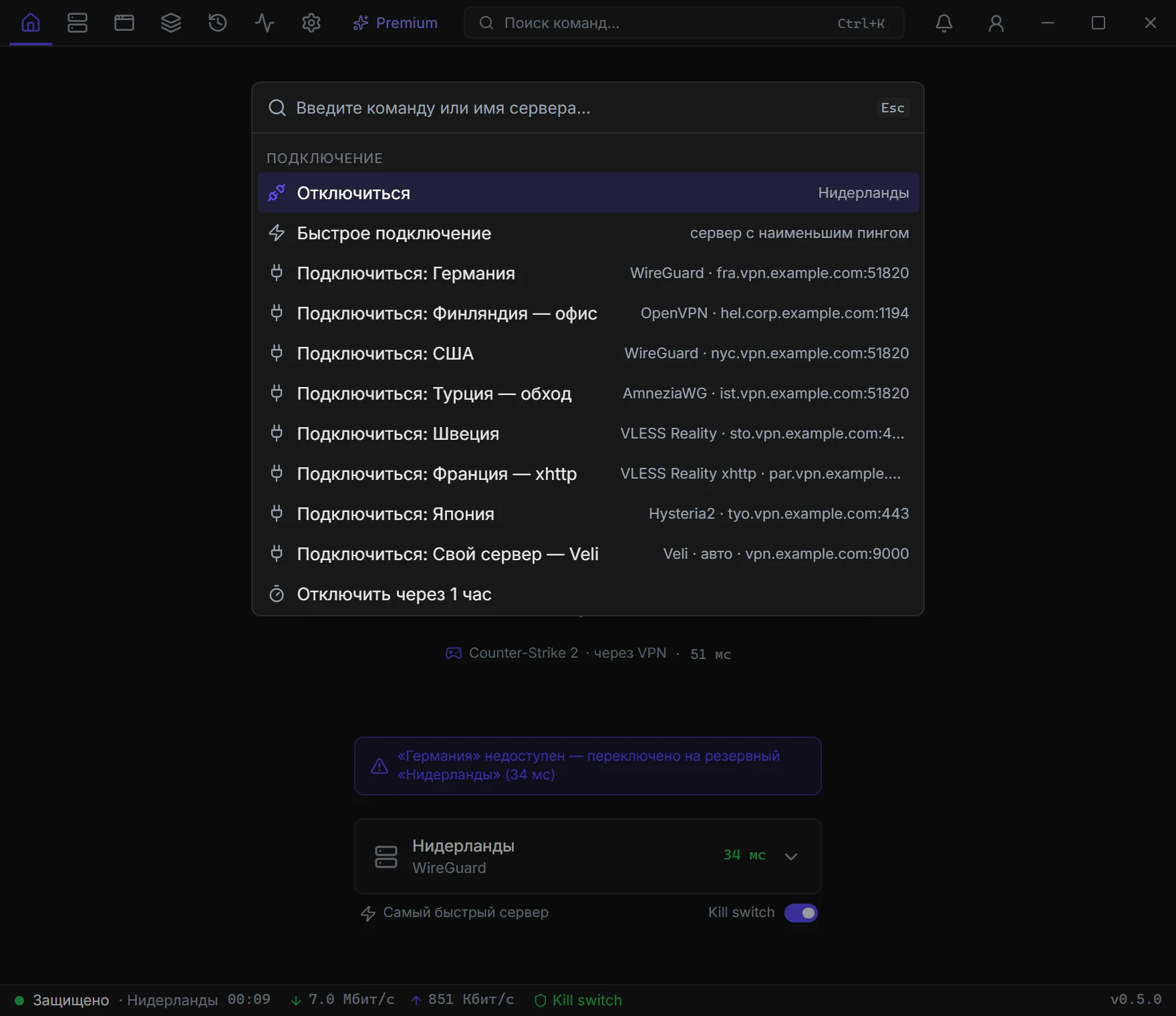
The search button in the header or Ctrl+K. Type a server name or a command. The global hotkey from Settings opens the same thing from any window.
Connection
Quick connect, a specific profile, disconnect, a “disconnect in an hour” timer.
Profiles
Import a file, clipboard, or link, a Premium key, your VPS, ping, create WireGuard, backup.
Diagnostics
Speed test, network check, leaks, a support report, history export to CSV.
Settings
Kill switch, theme, schedule, mini window, jump to any page. F1 — the hotkey list.
History
The last 500 sessions
Cards: session count, time on VPN, received / sent, drops. Charts by day and by profile.
Table
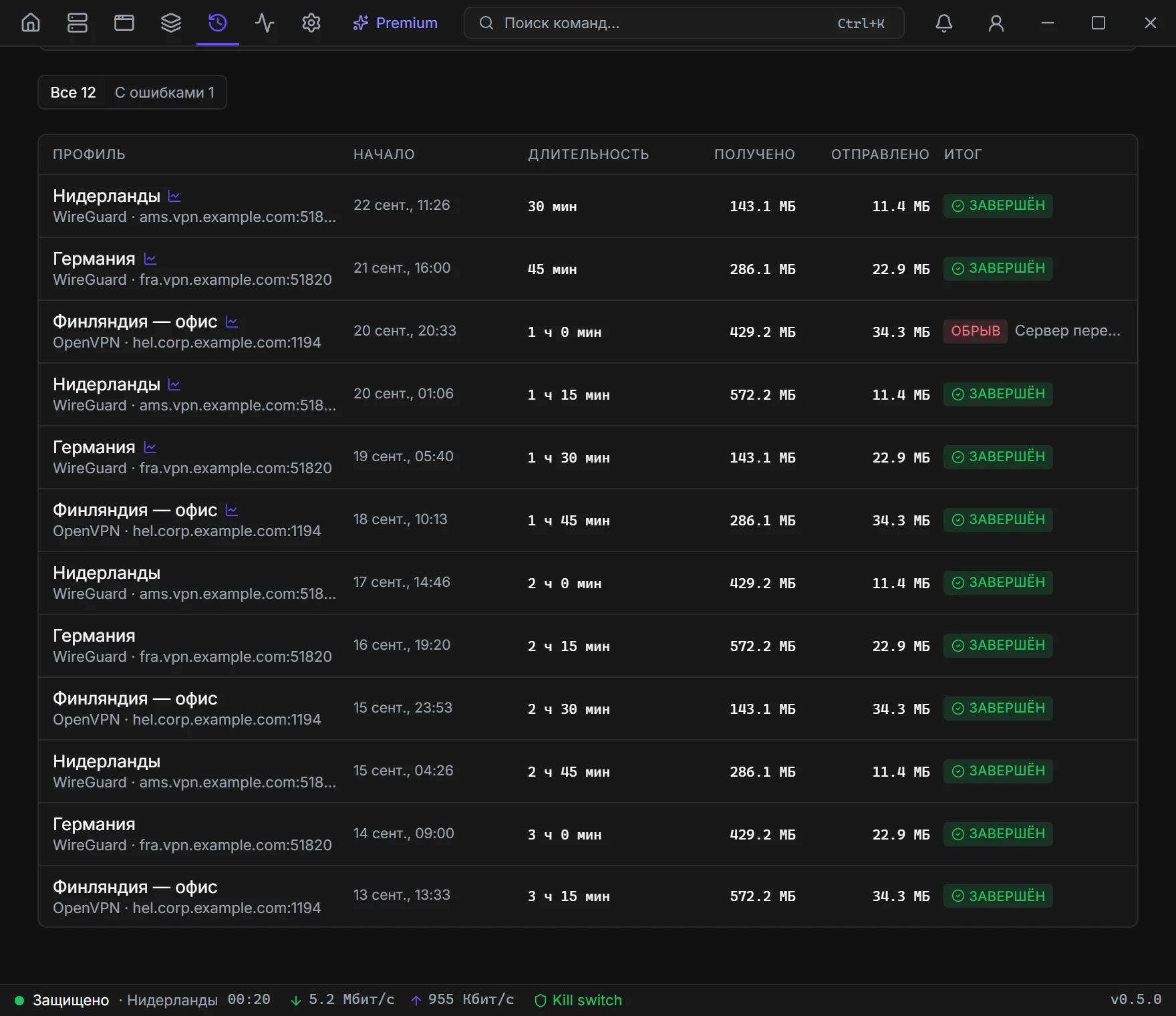
Profile, start, duration, traffic, result Finished or Dropped. A “with errors” filter. Click a row for the session speed chart.
CSV
Export CSV — a vpn-history-YYYY-MM-DD.csv file, semicolon-separated, columns: profile, protocol, server, start, end, minutes, MB, result.