A subscription from a VPN service
All of your VPN's servers — with one link
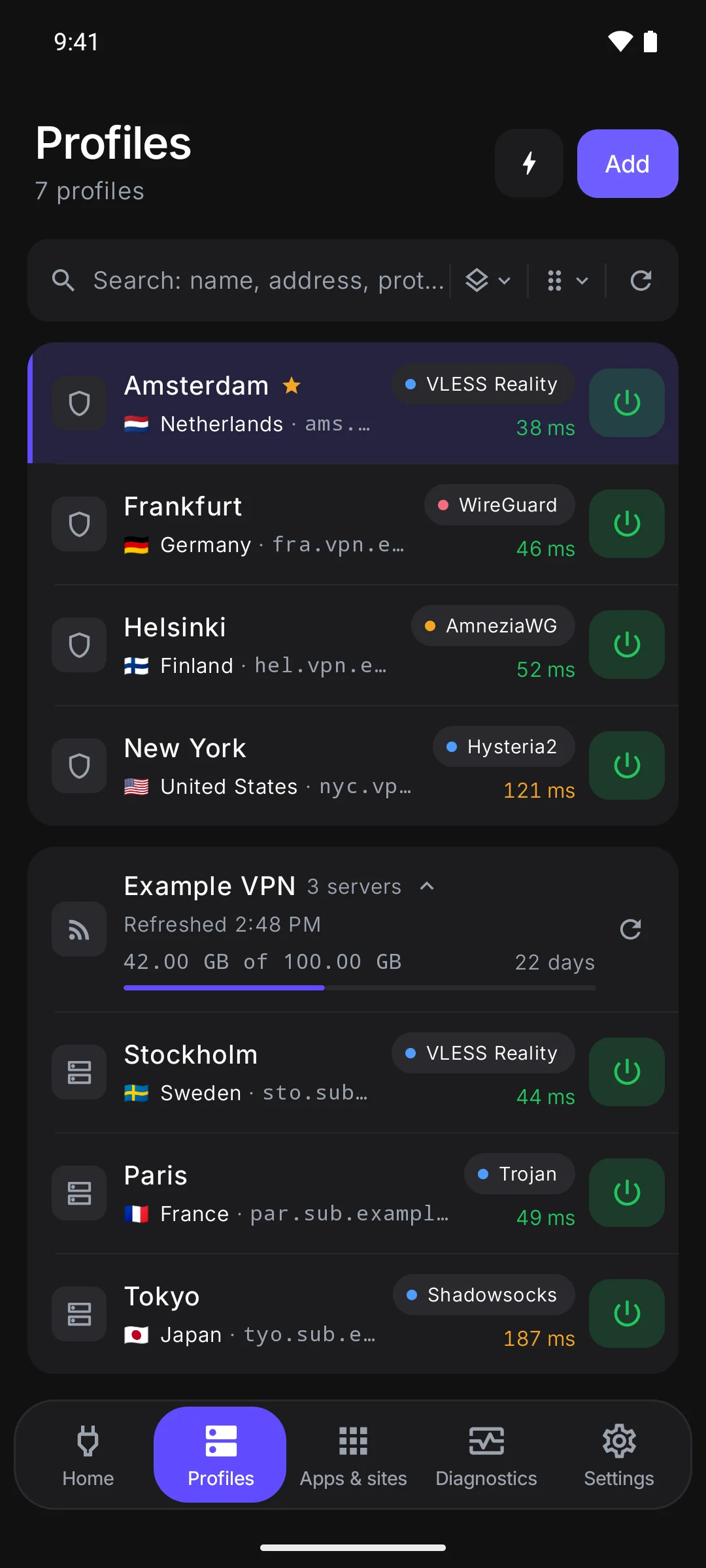
Your VPN service gave you a subscription link? Paste it into Veli, and all of the service's servers land in your list. From then on they refresh themselves, and the traffic left and days paid are right there in the app.
No account, no sign-up. A subscription from any service works.
Three steps
Where to get the link
The VPN service itself gives you the subscription link — it's usually called a “subscription link” or a “key”.
- 1
Open the service's account page or bot
Your account page on the VPN service's website or its Telegram bot — wherever you paid.
- 2
Copy the link
A subscription address starts with https://. The link of an “Add to…” button works as is, too.
- 3
Paste it into Veli
Profiles → Add, then the button under the field. Copied it beforehand? The window offers to paste it from the clipboard by itself.
What you get
The subscription looks after itself
Servers refresh themselves
The service added or removed a server — your list changes without you. Refresh in the group's header does it right away.
Traffic and expiry in sight
If the service reports them, the header shows how much you've used and how many days are left.
The fastest, by itself
The Fastest row measures the subscription's servers and connects to the best one. If a server goes silent, traffic moves to another.
Several subscriptions side by side
Each is its own group in Profiles, next to your own links and servers. A group you don't need can be collapsed.
The service's news and support
The service's announcement and links to its page and support sit in the same group header.
No computer name
If the service counts devices, the app tells it a random install number — and nothing else.
Phone and TV
The same subscription on Android and Android TV
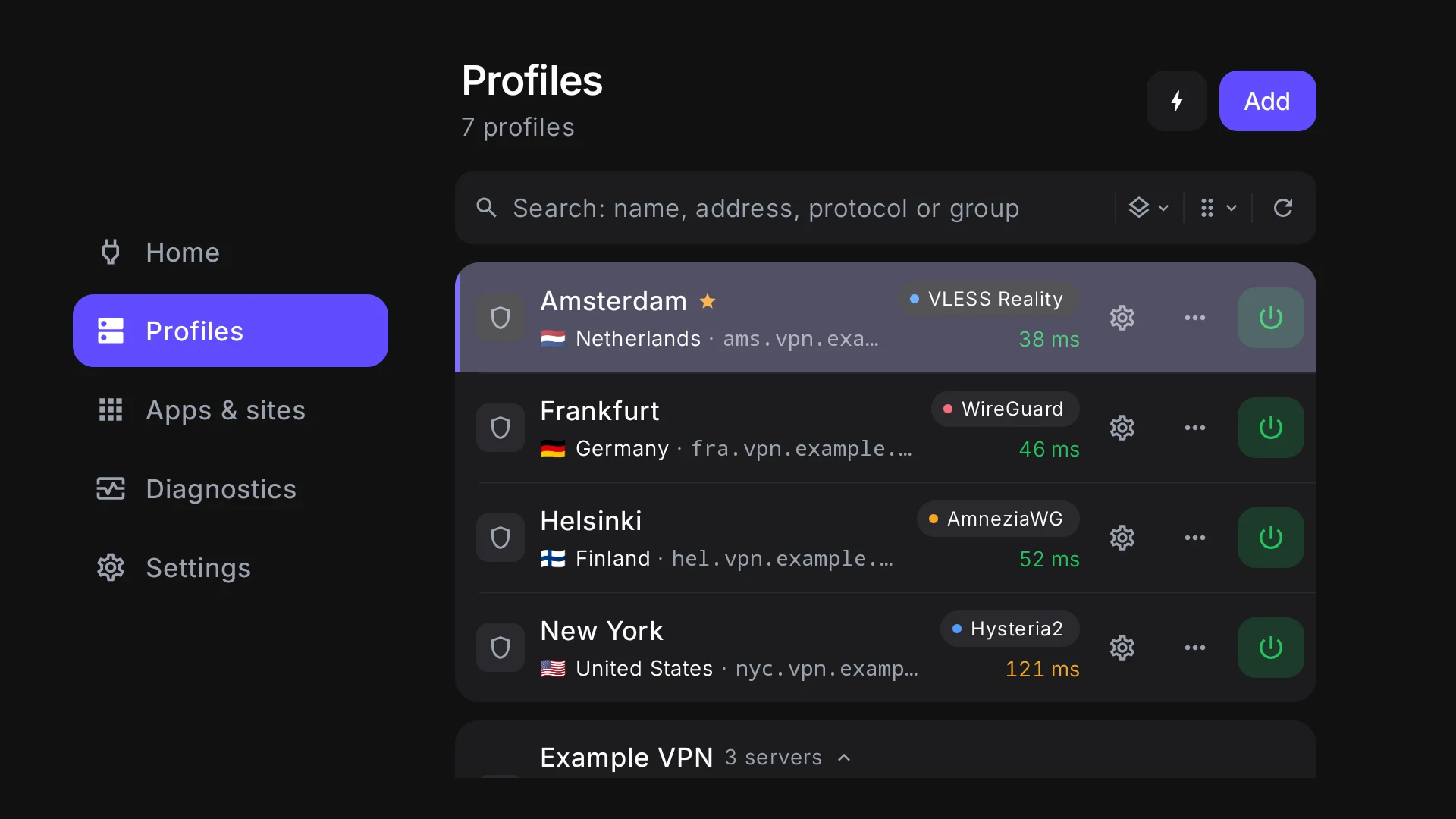
On the phone the subscription is in Profiles, in one list with ping. The TV gets the link from the phone: a QR code on the screen — and the subscription is there.
Subscriptions
Have a subscription? Paste the link
The link from your VPN service's account page or Telegram bot works as is. The servers land in your list and refresh themselves, and the traffic left and days paid are right there in the app.
- Servers refresh themselves
- Traffic left and expiry
- The fastest one, automatically
- Links, base64 and Clash
https://panel.example.com/sub/8f2a9c
Refreshed just now
- Fastest server29 ms
- VLESS Realitynew29 ms
- VLESS Reality34 ms
- Hysteria241 ms
You have the link — now get the app
Veli is free and needs no account: Windows, macOS, Linux and Android.