On this page
How it works on Android
When a VPN app brings up the tunnel, it hands the system a list: which apps go into the tunnel and which go around it. Android itself splits the traffic, so it works with any app — a browser, a messenger, a game, a video service — no matter how the app is built inside.
Besides apps, traffic can be split by address: sites by name, IP addresses and networks. You need this when only some sites inside one app — a browser, say — should go through the VPN. Splitting by site depends not on the system but on the VPN protocol, so it doesn't work everywhere.
One thing about the system: a phone can have only one VPN on at a time. Turn on another VPN client and the first one disconnects, and its rules stop applying along with it. If your rules suddenly vanished, check whether another VPN took the tunnel.
Two modes
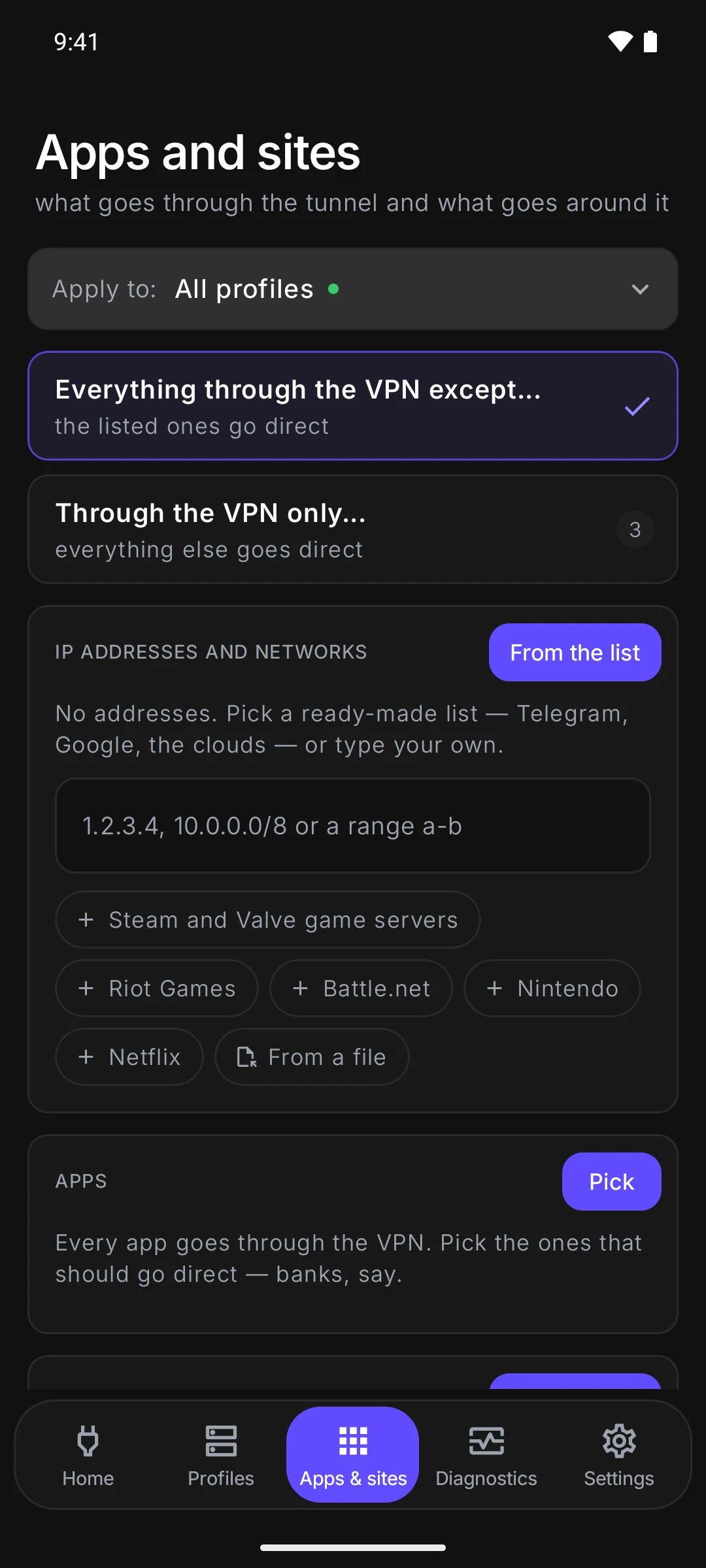
- “Everything through the VPN except…” — by default all traffic is in the tunnel, and the exceptions go direct. Banking apps, government services, local shops, delivery and taxi apps go here — everything that dislikes a foreign address. This is the usual choice.
- “Through the VPN only…” — the other way round: the tunnel is only for what you list, and everything else goes direct. This is the VPN for one app: tick a single app and only it goes through the VPN.
- Pick the mode with the shorter list: two banks are easier to exclude than forty apps to list, and one video service is easier to include than everything else to exclude.
- “Through the VPN only…” with an empty list makes no sense: until something is ticked, everything goes through the VPN.
How to send one app through the VPN
- 1
Open the rules
In your VPN client, find the split tunneling section. It is usually called Apps, Split tunneling or something close.
- 2
Choose the “selected only” mode
In it, everything that is not on the list goes direct, around the VPN.
- 3
Tick the app
Find it in the list of installed apps and tick it. You can tick several: a browser and a messenger, say.
- 4
Reconnect the VPN
Rules apply on connect. If the VPN was already on, reconnect it — otherwise the old rules stay.
- 5
Check
If you picked a browser, an IP check site in it shows the VPN server's address, while another browser that is not on the list shows your usual one.
What matters
- What goes direct shows your usual address, and your ISP sees where it goes — as without a VPN. Send around the tunnel only what this doesn't hurt: your bank, local services, downloads.
- In Veli on Android, rules by app work on any protocol, WireGuard and AmneziaWG included. Ready-made site lists work on VLESS, VMess, Trojan, Shadowsocks and Hysteria2 links.
- An app's background work follows the same rules: exclude an app and it goes direct in the background too.
- Apps that go around the VPN send their DNS queries direct as well. A DNS leak test in such a browser shows your ISP's DNS — that is expected, not a tunnel leak.
- A rule didn't work — reconnect the VPN first, then check the mode: in “Everything through the VPN except…” the app must be on the exceptions list, in “Through the VPN only…” it must be ticked.
- Games go through the VPN or around it like any other app: around it if the VPN raises your ping, through it if the game won't open without it.