VLESS client
VLESS client for Android
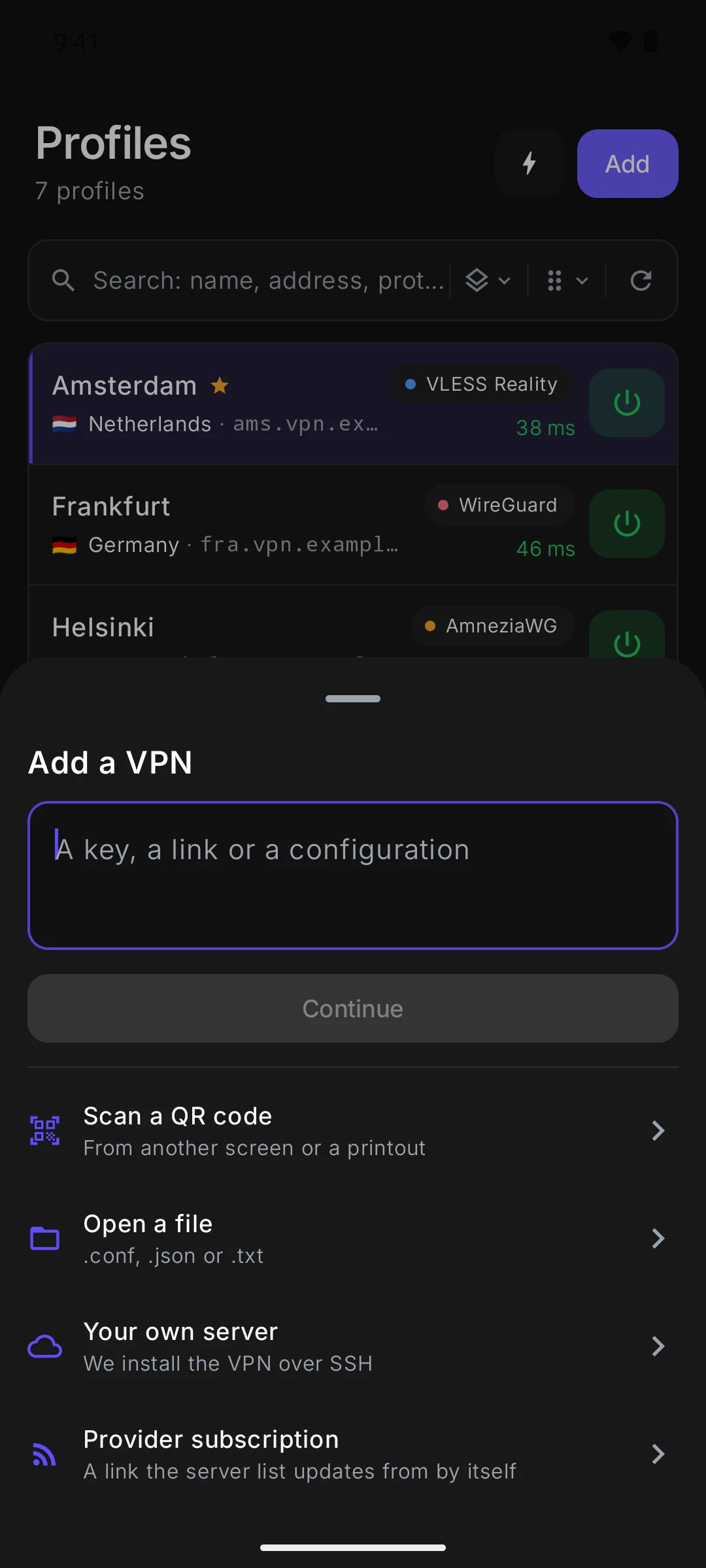
Choose it if your network blocks VPNs: among popular protocols it gets through best. Veli is a free app: paste a vless:// link or a subscription from your VPN service, and the profile appears by itself.
- Free, no sign-up and no limits
- A link, a file or a subscription — into one field
- Your own VLESS server — from the app, over SSH
- Kill switch and DNS and IPv6 leak checks
- Split tunneling by sites and apps
Connecting
How to connect VLESS in Veli
- 1
Install the APK
You need Android 8.0 or newer. The phone asks whether apps from this source may be installed — allow it.
- 2
Add a server
Profiles → “Add”: paste a vless:// link and press “Continue”. Already have the server on a computer? Scan its QR code.
- 3
Press the big button
The first time, the system asks for VPN permission. The button turned green and the speed shows under it — the VPN works.
No server? Rent any VPS — the app installs VLESS over SSH and adds a ready profile.
How the phone differs
Installing the APK
You need Android 8.0 or newer. The phone asks whether apps from this source may be installed — allow it. TVs have a separate Android TV build.
VPN permission
The first time, the system asks for VPN permission; the tunnel can't come up without it. If connecting takes long, the reason and Cancel are in the notification.
What doesn't connect
OpenVPN, TUIC and ready-made sing-box and Clash configs don't work on a phone — the app says so right away. A server from your computer moves over by QR code: profile menu → “QR code for the phone”.
Why VLESS may fail to connect
TLS fragmentation is on
Reality breaks when the start of TLS goes out in pieces. Reality profiles don't need fragmentation in Settings → Security — turn it off.
The link was copied in part
Without pbk the Reality handshake fails. Copy the whole link again, including everything after the “?”.
The service changed the address or port
No need to add the profile again. Open the gear in the profile row → Configuration and fix the address or port.
FAQ
Which Android do I need?
Android 8.0 and newer. TVs and set-top boxes have a separate Android TV build, also from Android 8.0.
How is VLESS different from VMess?
VLESS doesn't encrypt data itself: TLS or Reality protects it. That makes it lighter than VMess and independent of the device clock.
Connect VLESS in a minute
The client is free and needs no account: paste a link and press Connect.