Hysteria2 client
Hysteria2 client for Android
Helps on mobile data and poor Wi-Fi. You need a link from a VPN service: the app doesn't install it on your own server. Veli is a free app: paste a hysteria2:// link or a subscription from your VPN service, and the profile appears by itself.
- Free, no sign-up and no limits
- A link, a file or a subscription — into one field
- Kill switch and DNS and IPv6 leak checks
- Split tunneling by sites and apps
Connecting
How to connect Hysteria2 in Veli
- 1
Install the APK
You need Android 8.0 or newer. The phone asks whether apps from this source may be installed — allow it.
- 2
Add a server
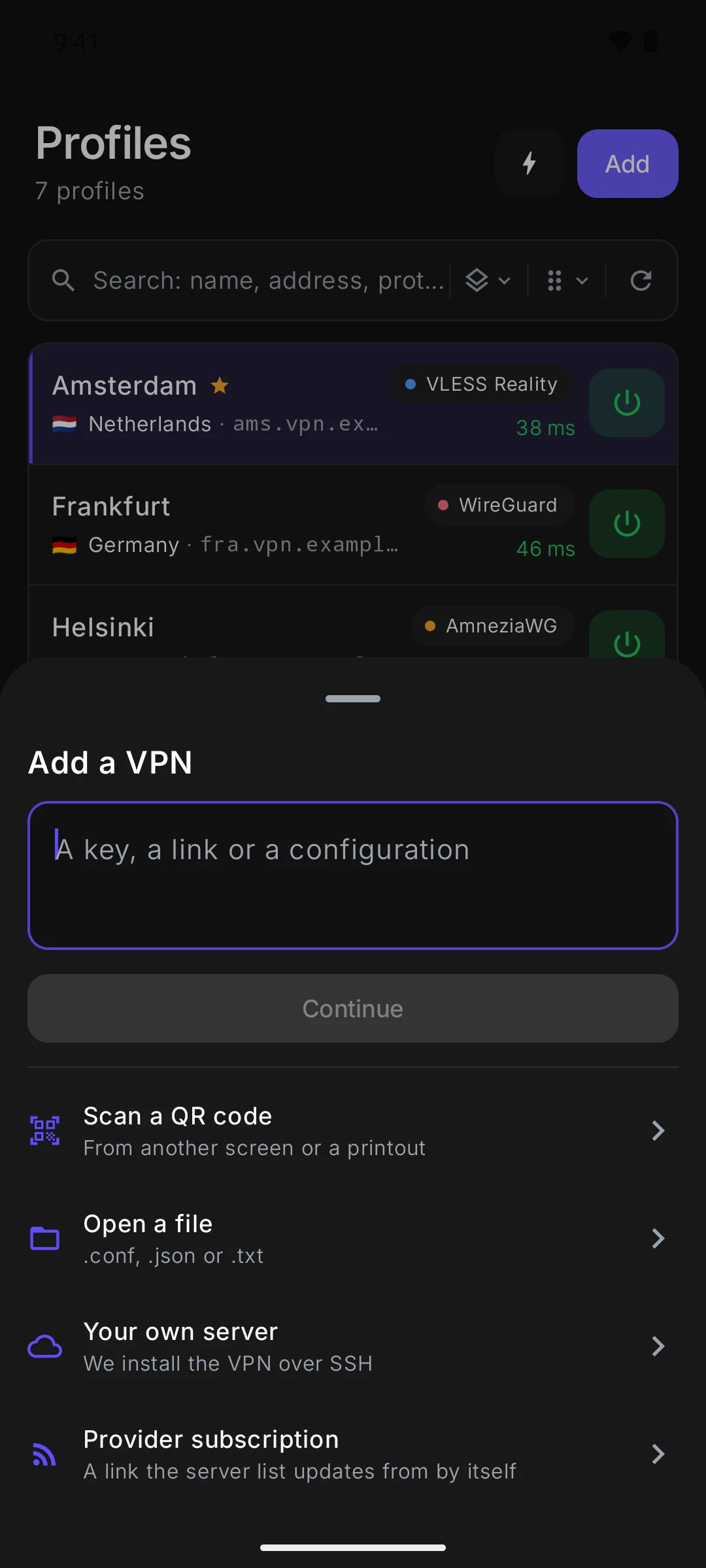
Profiles → “Add”: paste a hysteria2:// link and press “Continue”. Already have the server on a computer? Scan its QR code.
- 3
Press the big button
The first time, the system asks for VPN permission. The button turned green and the speed shows under it — the VPN works.
How the phone differs
Installing the APK
You need Android 8.0 or newer. The phone asks whether apps from this source may be installed — allow it. TVs have a separate Android TV build.
VPN permission
The first time, the system asks for VPN permission; the tunnel can't come up without it. If connecting takes long, the reason and Cancel are in the notification.
What doesn't connect
OpenVPN, TUIC and ready-made sing-box and Clash configs don't work on a phone — the app says so right away. A server from your computer moves over by QR code: profile menu → “QR code for the phone”.
Common Hysteria2 problems
The network closes UDP
Some offices and hotels close UDP, and Hysteria2 won't connect there. On such a network use a TCP profile: VLESS or Trojan.
TLS fragmentation is on
It breaks the Hysteria2 handshake. Turn fragmentation off in Settings → Security.
The obfs settings got lost
If the server expects Salamander and the link has no obfs-password, it won't answer. Copy the whole link from the service again.
FAQ
Which Android do I need?
Android 8.0 and newer. TVs and set-top boxes have a separate Android TV build, also from Android 8.0.
Why does Hysteria2 keep its speed on a bad connection?
QUIC doesn't slow down at every lost packet the way TCP does. So on mobile data and weak Wi-Fi it's often faster than the rest.
Connect Hysteria2 in a minute
The client is free and needs no account: paste a link and press Connect.